🎉 From invitation to album, all in one app

Your Wedding Invitation Ready in Five Minutes

Pick a template, enter your details, share the link. RSVP replies, the photos taken on the day and your album all come together in one place.

Pick a template, enter your details, done
Sharing the link is free
Your guests upload the photos
Kullanıcı 1 Kullanıcı 2 Kullanıcı 3
+50
50+ happy couples
got married with Vowlia
vowlia Mobil Uygulama

Why Vowlia?

One app, from preparing the invitation to collecting your wedding photos

No Design Work

The design comes ready. You enter your names, the date, the venue and your note to guests.

One Link for Everyone

Share the link wherever you like. Or pick contacts from your phone book and let us send it by SMS or WhatsApp.

You Know Who’s Coming

Who is coming, who cannot make it — replies land in your list instantly.

No Photos Lost

Guests scan the QR code on the table and upload their photos straight to your gallery.

Features

How It Works, Start to Finish

From the moment you pick a template to the day you download your album

Şablon Kütüphanesi
01 — Choose

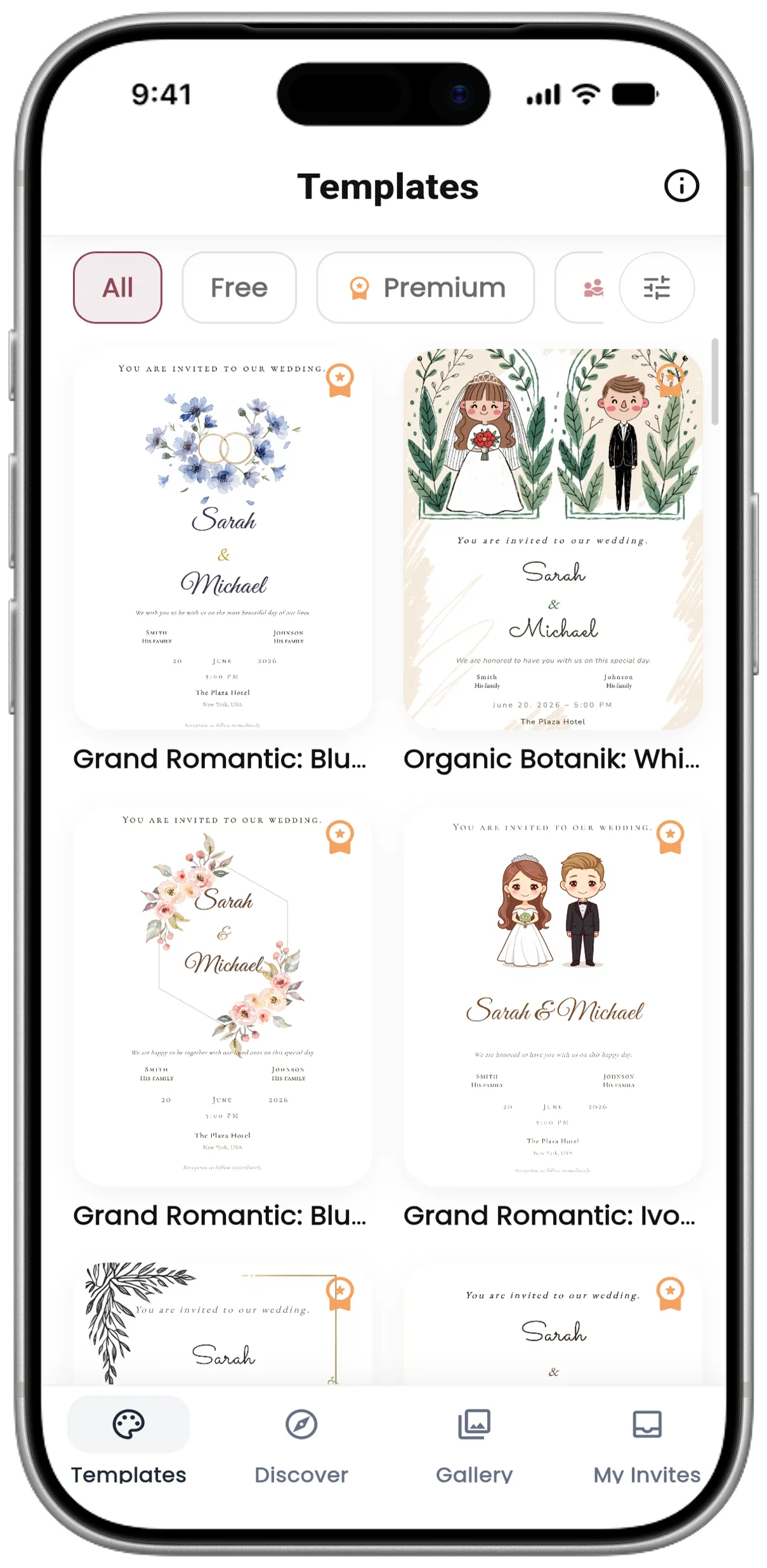
Over a Hundred Ready Templates

Elegant, modern or simple. Pick the one you like; enter your names, the date and time, the venue and your note to guests.

palette
The design comes ready, you fill in your details
edit
If you want to design your own, there is the studio
02 — Fill In

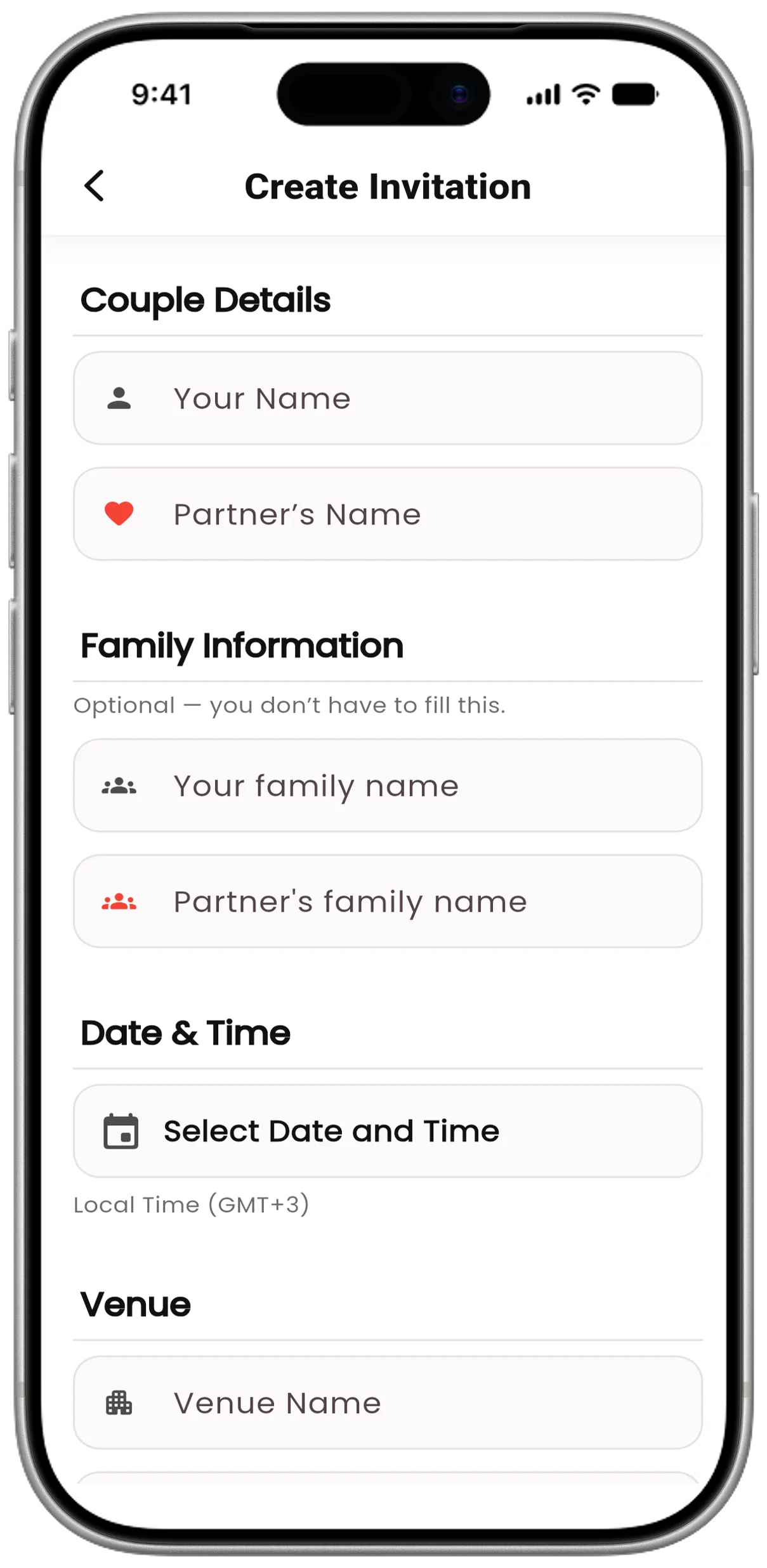
Enter Your Details

Your names, family names, date and time, venue and note to guests. Family names are optional; you can leave them blank.

visibility
Pick the venue from the map
timer
Turn on RSVP, countdown and falling leaves
Hızlı Davetiye Oluşturma
03 — Confirm

Three Previews Before You Send

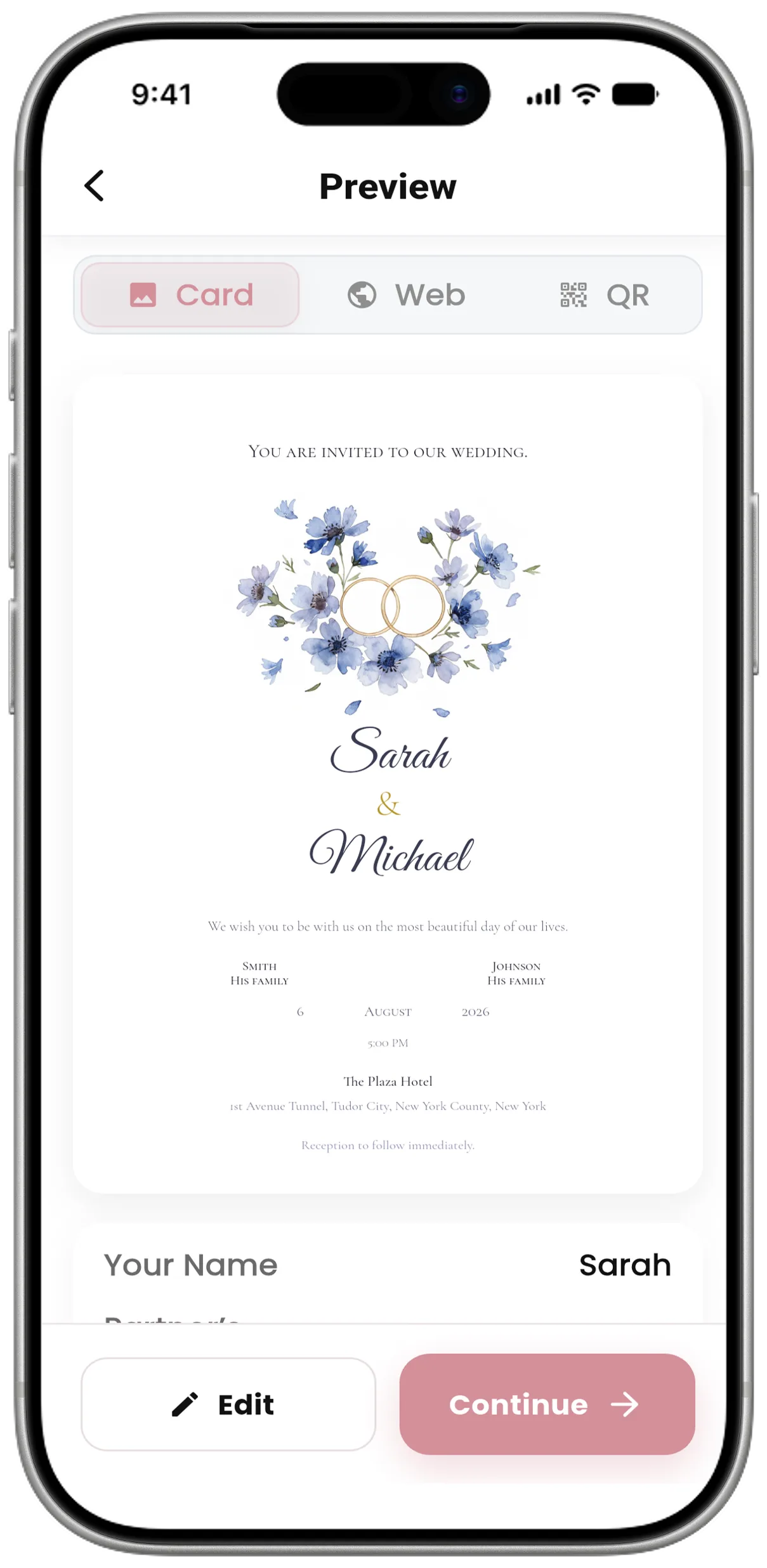
You see the invitation itself, how it looks on its web page, and the QR card you will put on the tables — all before sending.

visibility
Invitation, web page and QR table card
timer
No changes are possible after you confirm
Önizleme ekranları
LCV Takibi
04 — Share

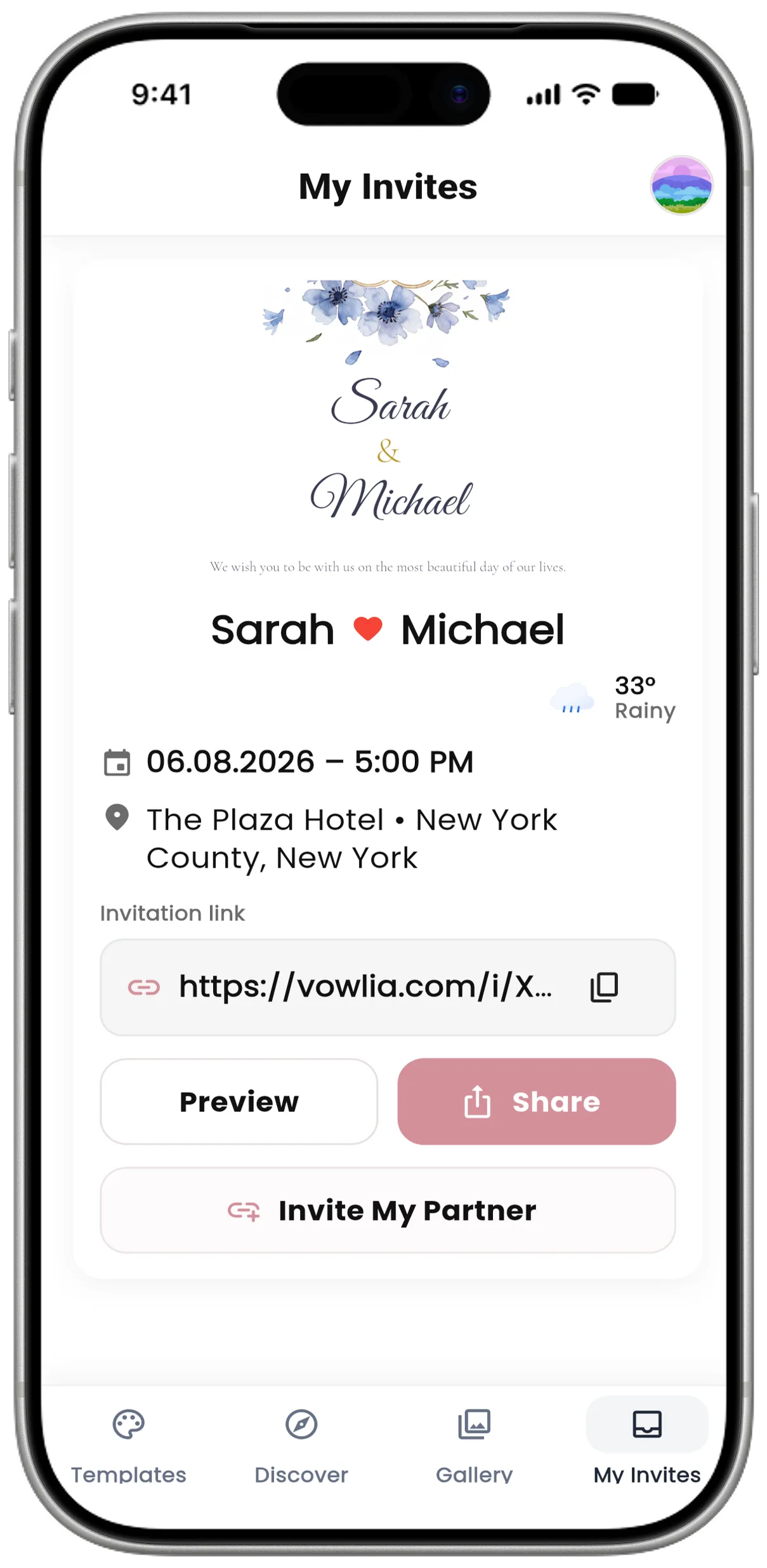
Invitation Link

Copy the link and share it wherever you like; that is free. If you would rather pick contacts and have us send it, there are SMS and WhatsApp packages.

filter_list
You can schedule sending for a later date
sms
Buying a package is not required
05 — Collect

Your Guests Upload the Photos

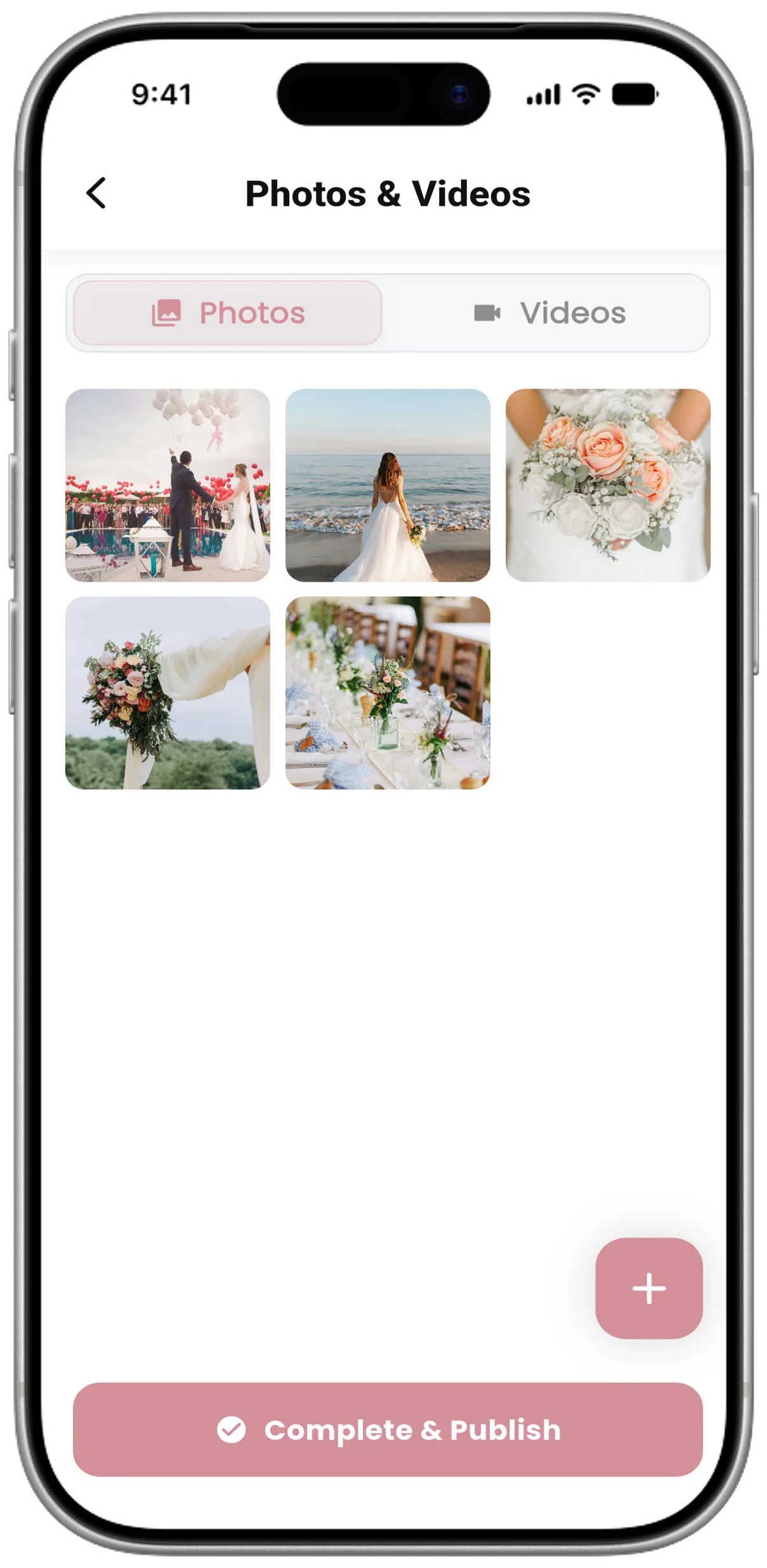
Guests scan the QR code you place on the tables and upload their photos and videos straight to your gallery. They do not need to install an app or sign up.

check_circle
Delete anything you do not want from the gallery
share
Your partner can manage the gallery too
Fotoğraf Galerisi
Keşfet
06 — Discover

Real Weddings From Around the World

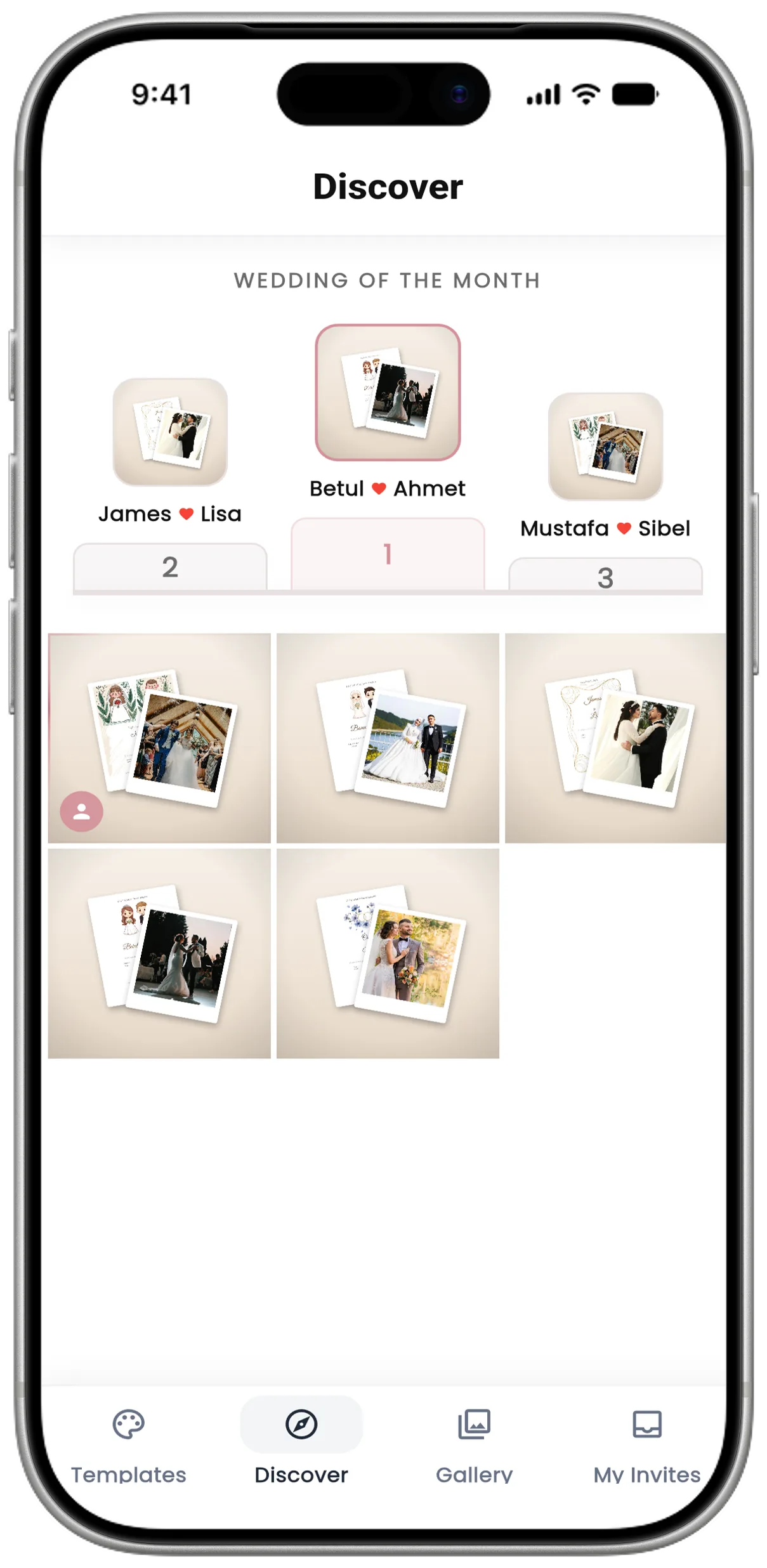
Invitations couples have shared publicly, all in one feed. Likes decide the wedding of the month — taking part is entirely optional.

emoji_events
Wedding of the month, chosen by likes
toggle_on
Sharing is entirely up to you
Screens

The Pages Your Guests See

From the invitation itself to the photo upload page, the screens your guests will meet.

vowlia.com/i/W8TKZLR

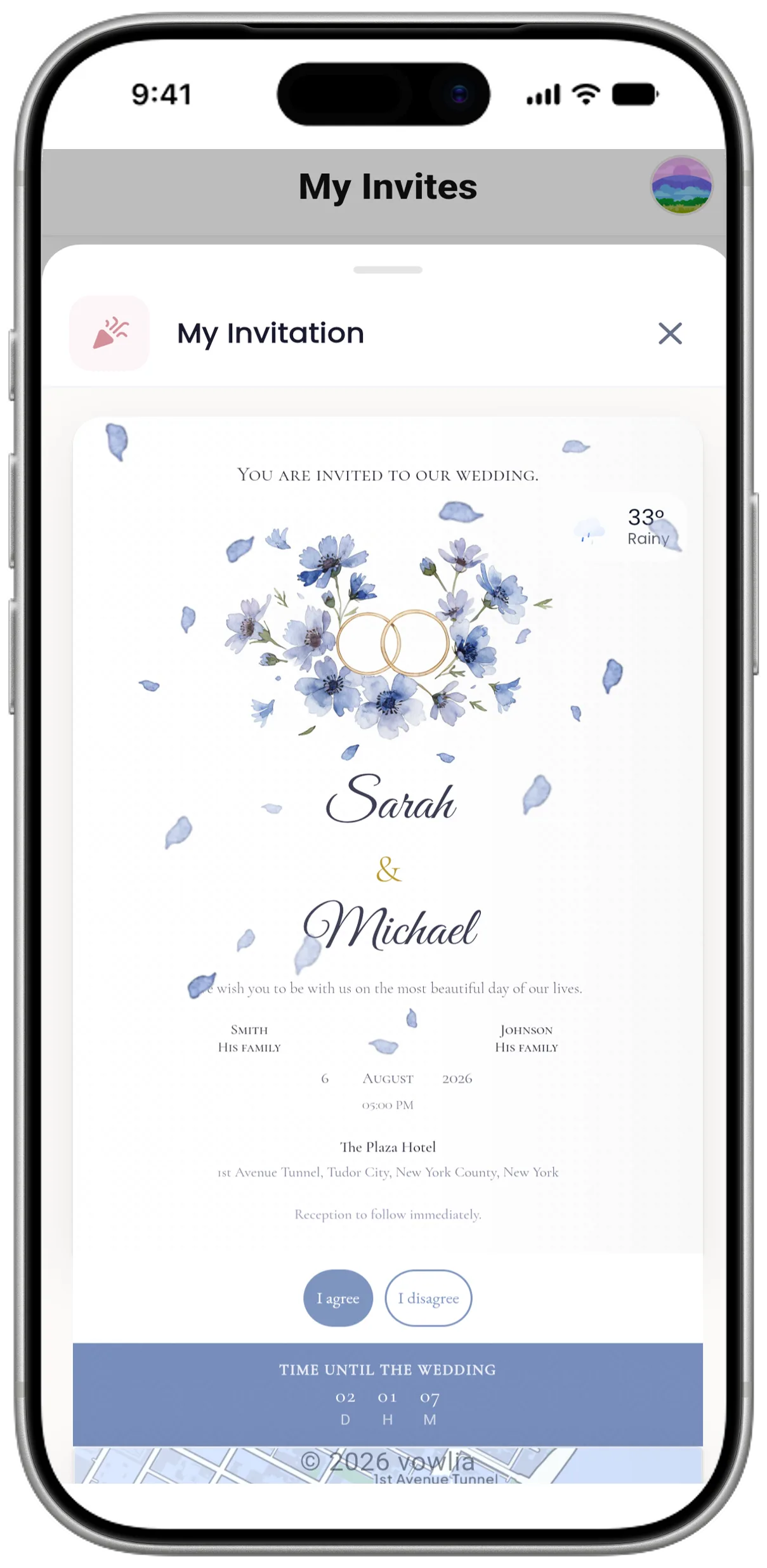
Invitation

The page that opens from the link

vowlia.com/g/W8TKZLR

Photo Gallery

Photos shared after the wedding

vowlia.com/u/…

Photo Upload

What a guest sees after scanning the code

Your guests do not need to install anything; the link opens on phones and computers alike.

Templates

Dozens of Designs for Every Style

Elegant, modern or simple. Pick the template you like and enter your details; the design itself comes ready.

Table Card

Every Invitation Comes With a Table Card

Download the card as a PDF or PNG and print it. Guests scan the QR code on the table and upload their photos straight to your gallery.

Tap a card for a closer look.

Vowlia Studio

Not Finding What You Want? Design It Yourself

It opens in your browser, no installation needed. Change the text, the colours, the images; ready-made graphics and layouts come built in.

studio.vowlia.com/demo

We would love you at our wedding

Ayşe & Mehmet

20.06.2026 · 19:00

Çırağan Sarayı · İstanbul

edit Click to try
draw Try the studio for free

No sign-up needed — you can start designing right away.

Album

When the Wedding Ends, Your Album Is Ready

With premium invitations, the photos your guests uploaded turn into a digital book with short notes alongside them.

The pages turn on their own — you can also tap to turn them.

Discover

Take Inspiration From Real Weddings

Invitations and photos couples have shared publicly. After your own wedding you can share yours too, if you like.

Müşteri Yorumları

Mutlu Çiftlerimizden

Binlerce çift vowlia ile özel günlerini unutulmaz kıldı

Pricing

One Payment, No Hidden Fees

You can start free. Premium is a one-off payment, not a subscription.

Premium Invitation

One-off, no subscription

15 USD

one payment per invitation

  • Everything in the free version
  • 2,000 photos and 200 GB of video
  • Live weather and a digital memory book

Paid through the App Store or Google Play; there is no card payment. The amount is approximate — the store may price it differently in your country.

Download the App

SMS and WhatsApp Packages

Optional — you do not have to buy one

Sharing the link yourself is free. If you would rather pick contacts and have us send it:

20 SMS
40 SMS
60 SMS
80 SMS
100 SMS
...300'e

Prices are approximate and may vary by store. You can share your invitation without buying a package.

How does it work?

Free Version

No card details needed

  • Invitation link, RSVP, countdown, map
  • Guest gallery: 200 photos and 20 GB of video
  • Free and community templates
See the differences
Questions

Frequently Asked Questions

We have written the answers exactly as they are. If you cannot find yours, write to us.

What exactly does Vowlia do?
You prepare a digital invitation for your wedding and send your guests a link. A guest who taps it sees your invitation, tells you whether they can come, and opens the venue on the map. On the day itself they scan the QR code on the tables and upload the photos they took to your gallery. The invitation, the RSVP replies and the photos all gather in the same app.
How much is it, and how do I pay?
With the free templates you can create and share an invitation without paying anything. A premium invitation is 15 USD and is a one-off; it is not a subscription. Payment is taken only through the App Store or Google Play — there is no card payment. SMS and WhatsApp packages are not included; they are optional.
What is the difference between free and premium?
The free version has the invitation link, RSVP collection, countdown, map and the guest gallery; the gallery limit is 200 photos and 20 GB of video. With premium that limit becomes 2,000 photos and 200 GB of video, and you also get live weather, a digital memory book put together by AI once the wedding is over, and sending by SMS/WhatsApp. The limits are totals: everything all of your guests upload counts towards them.
What can I change in a ready template?
You enter your names, the family names, the date and time, the venue and your note to guests. The template’s design comes ready: the invitation wording, the typeface, the colours and the layout are fixed. If you want to change those, you can design your own from scratch in Vowlia Studio.
Can I edit the invitation after creating it?

No. Once created, an invitation cannot be edited. That is why we show you three previews after you enter your details: the invitation itself, the page your guests will see, and the QR table card. Check all of them before you confirm.

How do I get the invitation to my guests?

You can copy the invitation link and share it wherever you like — that is free. If you would rather not do it one by one, you pick contacts from your phone book, preview the message, and we send it by SMS or WhatsApp. You can also schedule sending for a later date; when the day comes the system sends it at the time you chose. You can skip this step.

Why not send it from my own WhatsApp?

You can — the link is yours, share it however you like. But on a personal WhatsApp account a broadcast list is limited to 256 people, and for the message to arrive the other person has to have your number saved. WhatsApp also does not allow bulk sending from personal accounts. That is why we send through the official WhatsApp Business API, on behalf of Vowlia.

How does RSVP work?

Your guest tells you from the invitation whether they can come. Entering a name is optional; a guest who does not enter one still counts, so the total number of attendees is always right. Those who do give a name appear by name — useful when you are working out the seating.

Who uploads the wedding photos?

Your guests themselves. There is no separate photographer account in the system. A guest who scans the QR card on the table lands on a web page and uploads the photos and videos they took from there; no app install, no sign-up. You can download the QR card as a PDF or PNG from the "View QR card" section on the gallery screen and have it printed.

How long are the photos kept?

They are kept for 1 month after your wedding. After that we give you another 14 days to download them; once that runs out the media is deleted automatically. We remind you with notifications throughout. There are two ways to download: as a ZIP to your phone, or by creating a link and downloading from your computer.

Can my partner manage the invitation too?

Yes. With "Invite my partner" you send a QR code or a link; when they join they do not have to set anything up. They can see the gallery, upload photos themselves, and delete what they uploaded. The person who created the invitation can delete anything in the gallery. If you buy a separate package for your partner before payment, the sending allowances merge into one shared pool.

Can I design my own?

Yes — Vowlia Studio opens in your browser and needs no installation. Ready-made graphics, layouts and wording come built in; you change the typeface, the colours and the layout freely. You can design without signing up; the watermarks you see in the demo are only there for copyright and disappear once you buy. When you transfer your design to your phone, the Apple/Google account you used in the studio must be the same one on your phone.

menu_book

Could not find your answer?

Our help centre has step-by-step guides and screen-by-screen walkthroughs.

Help Centre
Start Free

Prepare Your Invitation Today

Download the app and start with the free templates. If you like it, move up to premium.

+50

50+ happy couples

got married with Vowlia